Your product looks good in person. The curves are balanced, the surface pattern works, and the prototype finally matches what you imagined. Now you need images for the design application. Can you simply use the photographs from your catalogue? Sometimes those photographs need considerable preparation. If you need design registration services in Delhi give the product and all files before you choose which drawings to send.
A marketing picture might cover the back stretch a curve or set the product next to items. When applying the product’s look must be plain and clear with no sales talk. Preparing design registration drawings means showing the design the same each time.
What Drawings Are Needed for Design Registration?
An Indian design application needs clear representations showing the design as applied to the article. Drawings, photographs and computer graphics may be used. Include enough suitable views to explain the appearance, with each view identified appropriately.
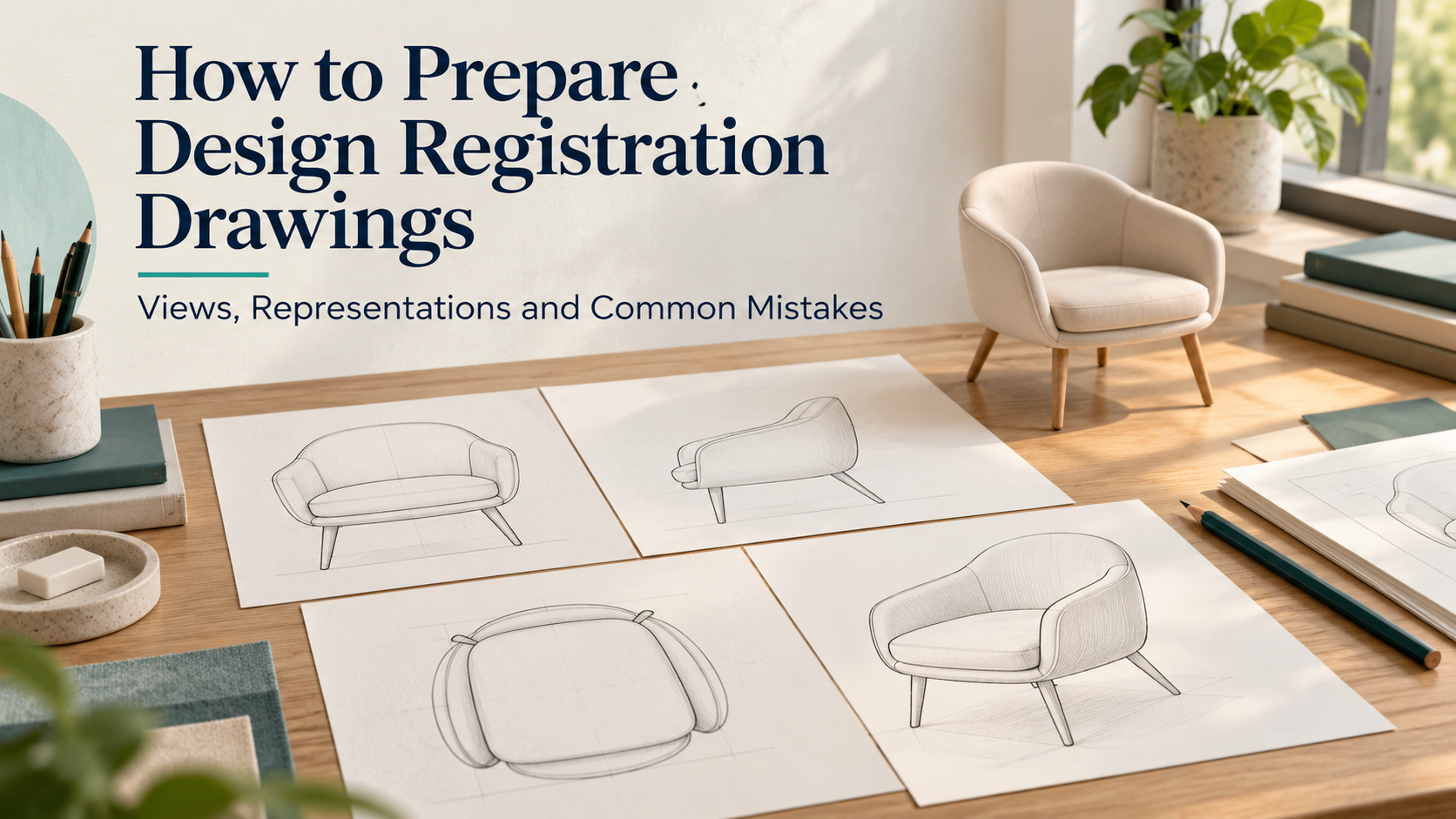
A useful starting set for three-dimensional products includes front, rear, left, right, top, bottom and perspective views. You see that this is a planning checklist, not a rule that every application must contain seven views.
IP India’s guidance emphasises representations that let the examiner visualise the design and distinguish it from earlier designs. The appropriate number depends on the article.
The question is: can someone understand the relevant appearance without holding the product?
Examiner Expectations: Make the Appearance Clear
The examiner should not have to guess whether a dark patch is a recess, a reflection or part of the decoration.
Think of the representation set as a visual explanation. Every image should help explain the same design.
Show One Consistent Design
Start by deciding which version you intend to file.
A common preparation problem is mixing files from different development stages:
- The front shows an earlier handle.
- The side shows a revised curve.
- The perspective view includes different surface details.
- The photograph shows a feature missing from the render.
Compare the set before formatting it. Ask the designer or manufacturer to confirm which files reflect the intended version.
For design registration drawings, consistency matters more than collecting the largest possible number of images.
Choose a Suitable Representation Format
A line drawing can make contours easy to follow. A photograph may show a textured surface more naturally. Computer graphics can help where the design is accurately modelled.
Choose the format that communicates the appearance clearly. As a practical matter:
- Use consistent source files.
- Avoid filters and decorative effects.
- Check whether reflections hide features.
- Keep outlines distinguishable.
- Compare photographs with renders if both are used.
Do not let presentation improvements alter the design itself.
Required Views: Show the Features That Matter
Plan the views before arranging the sheets. Otherwise, you may finish with several attractive images that all show the same side.
Three-Dimensional Products
For a container, lamp or furniture article, consider:
- Front: The main face.
- Rear: Features not visible from the front.
- Left and right: Profiles, projections and differences.
- Top and bottom: Surfaces that help explain the form.
- Perspective: An overall three-dimensional impression.
IP India’s information brochure lists these kinds of views among suitable representations.
For example, a bottle’s front photograph may show its outline while concealing grooves around the rear. Additional views should resolve that missing information.
Check labels carefully. Accidentally reversing left and right can make an otherwise accurate set confusing.
Surface Patterns and Ornamentation
A surface pattern needs a different approach from a sculptural product.
Ask:
- Is the design about the article’s shape, ornamentation or both?
- Can the full pattern be seen?
- Is its placement clear?
- Are important details large to read?
For a repeating surface pattern Rule 14 requires the pattern and a sufficient portion of the repeat, in length and width.
A cropped decorative motif may therefore leave an important question unanswered: how does the design repeat?
Preparing Your Representation Sheets
After the views are settled organise the views so another person can follow the set easily.
Rule 14 gives for representations on A4 paper on one side with figures properly labelled. Check the electronic filing instructions, for submission requirements also.
A practical preparation sequence is:
- Confirm the product version.
- Select the views needed.
- Prepare clean images.
- Label the views consistently.
- Arrange and number the sheets.
- Add the appropriate statements.
- Review the exported submission files.
Open the final export rather than checking only the editable document.
Look for clipped edges, missing lines, pixelation and labels that have shifted. A file that looks sharp on a large monitor may become unclear when placed on a sheet.
Good design application images should remain understandable in the form actually submitted.
Disclaimers: Clarify What You Are Claiming
A disclaimer is not a sentence to copy automatically from another application. It should fit the design and the representations.
Novelty Statements and Disclaimers
Broadly, a novelty statement identifies the visual features relied upon. A disclaimer clarifies matters for which protection is not being claimed. Keep the wording consistent with what the images show.
Before drafting, discuss:
- Which features matter to the application.
- Whether the claim concerns shape, configuration or ornamentation.
- Whether branding appears.
- Whether any illustrated elements are outside the intended claim.
Avoid broad claims about being “unique” or “the best.” The statement should describe the relevant design features, not promote the product.
Dotted Lines, Branding and Colour
IP India’s manual explains the use of dotted lines for elements not claimed, with claimed features shown in solid lines. It also addresses disclaimers concerning visible words, letters, numerals and trademarks, along with treatment of colour. These choices can affect how the representations are understood.
Do not use lines just because you feel like it. Don’t think colour doesn’t matter either. Look at the pictures and the descriptions together. Pay attention when colours go together in a certain way or when the surface has patterns or decorations. These things are important, to the design. You need to notice them.
Objections: Common Mistakes and How to Respond
Clear preparation cannot guarantee acceptance. But it can reduce avoidable questions about what the images depict.
Using Manufacturing Drawings Without Adapting Them
Engineering files may contain dimensions, technical symbols and internal sections.
IP India’s manual distinguishes design representations from engineering drawings and advises against sectional views, dimensions and engineering symbols on representation sheets. It also calls for the absence of extraneous background matter.
Use the correct source material, then prepare it for the purpose of the application.
Hiding Features With Styling
Practical presentation problems include:
- Strong reflections.
- Dark shadows.
- Busy backgrounds.
- Hands covering the article.
- Props obscuring an edge.
- Camera angles that distort proportions.
Take a neutral review pass. Ask someone unfamiliar with the product what they can actually see.
Their uncertainty can reveal where another image or clearer representation is needed.
Changing the Design While Correcting the Images
If an objection arrives first identify exactly what is being questioned. This helps you know what to fix. Is the objection about image clarity, inconsistent views, wording or a serious issue?
When revising design registration drawings compare the proposed correction, against the filed material. Do not assume you can add a feature just because you replace a poor image.
Get advice on which amendments are allowed and the deadline that applies before you send your response.
Your Pre-Filing Checklist
Before approving the set, confirm:
- Every view shows the intended design.
- Important features are visible.
- Labels match the views.
- Images remain clear in the final export.
- The article description fits the representations.
- Statements and disclaimers match the intended claim.
- Changes have been checked by the responsible person.
Also keep a controlled copy of the files. Keep them separate, from drafts so that an outdated image is not submitted by mistake.
Keep the design confidential during the filing preparations. Public disclosure could affect eligibility so image preparation should be included in the launch plan.
Frequently Asked Questions
Yes photographs are a recognised representation format. They still need to show the design and meet the applicable requirements.
No universal seven-view rule should be assumed. The set needs to explain the design adequately, with appropriate views for the article.
Computer graphics can be used. You should check that Computer graphics show what you intend and that they stay the same from every view.
Design representations are not manufacturing instructions. The manual advises against dimensions and engineering symbols on the representation sheets.
No. Clear representations help explain the application. Yet novelty originality, eligibility and other requirements remain relevant.
Conclusion
Design registration drawings should make the product easy to understand without altering or adding details. Design registration drawings start with one version pick clear views and review the final sheets carefully. Treat statements and the disclaimer, as part of the task. Careful preparation gives the examiner a picture and gives your team a reliable record of what it intended to file.
Leave a Reply